
RAC Attack - Oracle Cluster Database at Home/Create VM
Prev: Hardware and Windows Preparation
Linux Install (e)
- Create VM
- Prep for OS Installation
- OS Installation
- Wrap-up OS Installation
- Create RAC Attack DVD
- Prep for Oracle
Next: Create Cluster
-
From the SUMMARY screen, choose Create Virtual Machine. Name the new machine collabn1 and select the RAC11g datastore.

-
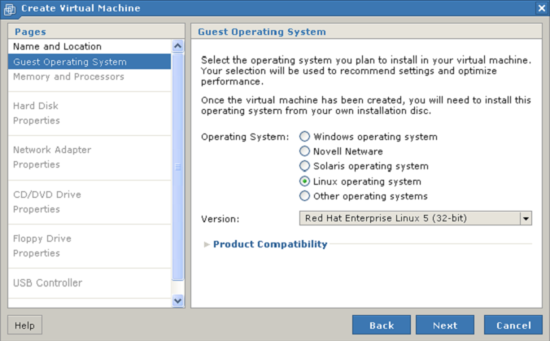
Select Linux Operating System and choose Red Hat Enterprise Linux 5 (32-bit).
-
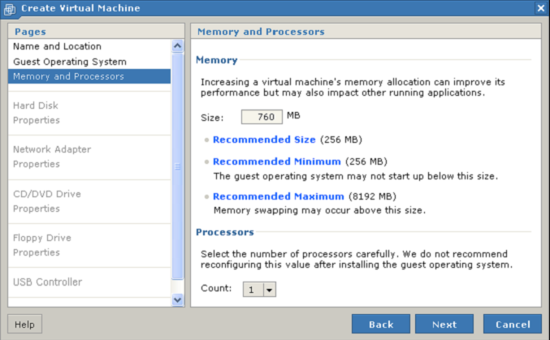
Allocate 760M of memory for the virtual machine and choose 1 processor.
-
Choose to Create a New Virtual Disk.

-
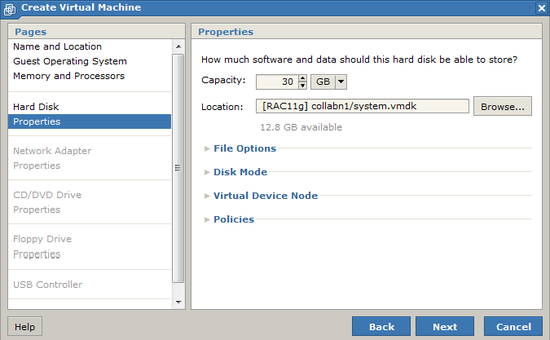
Set the disk size to 30G and name the file [RAC11g] collabn1/system.vmdk – leave all other options at their defaults and click Next.
-
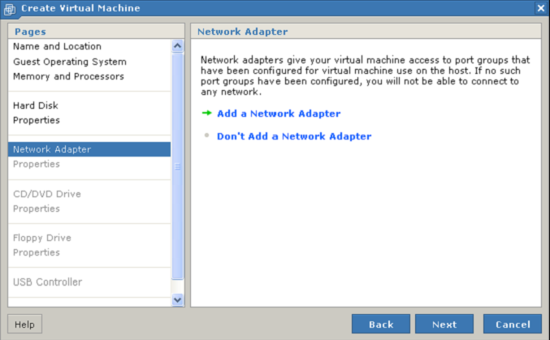
Choose to Add a Network Adapter.
-
Choose to create a NAT network connection.

-
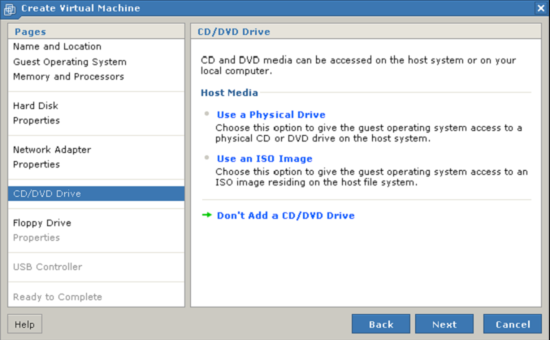
Choose Don't Add a CD/DVD Drive.
-
Choose Don't Add a Floppy Drive.

-
Choose Don't Add a USB Controller.

-
Review the configuration and click Finish. Do not power on the virtual machine yet.


